


适用说明
本文适用于:Gate Web 端 / App 端
操作前准备:已完成 C2C 买币或卖币订单的创建
预计用时:1 分钟
操作目标
本文将指导你如何在 Gate Web 端或 App 端联系 C2C 交易的买家或卖家。
操作步骤
Web 端操作步骤
第一步:进入订单页面
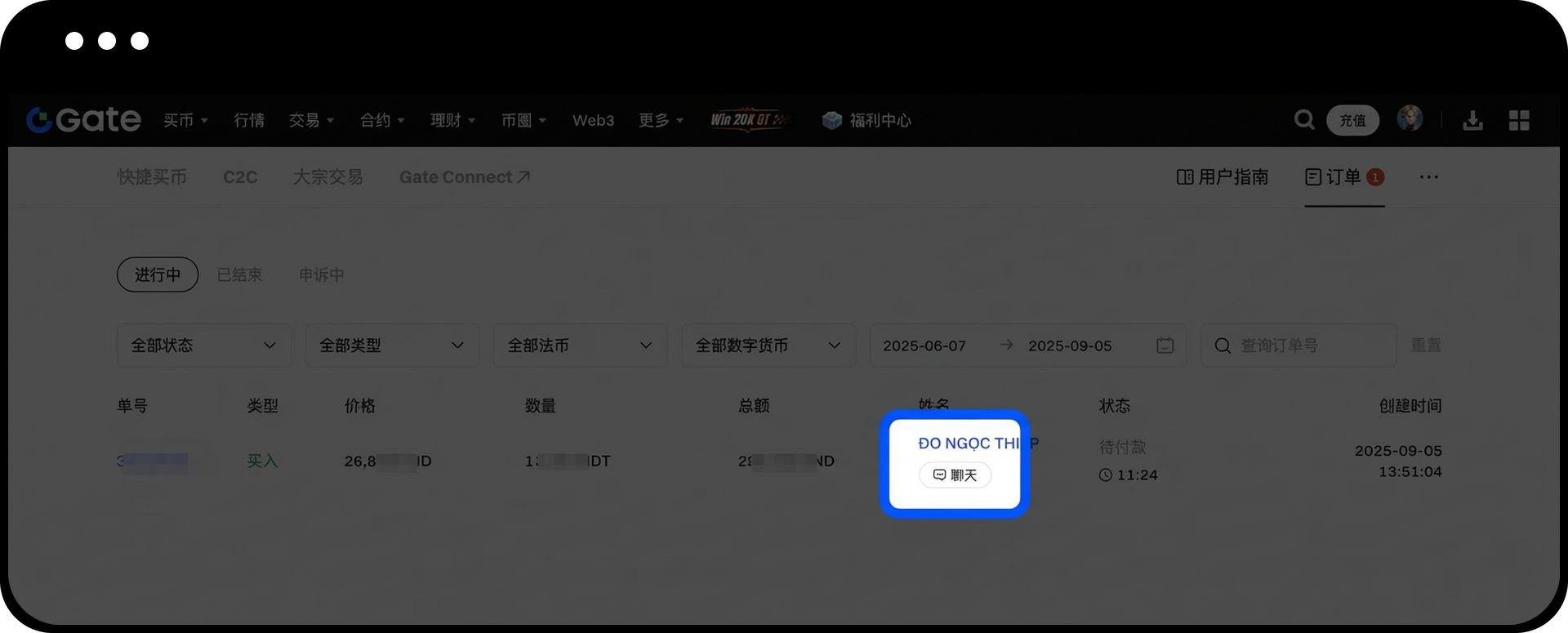
登录 Gate 网页版,点击顶部导航栏的【法币交易】,在下拉菜单中选择【订单】进入订单管理页面。
第二步:找到目标订单
在订单页面中,根据订单状态选择【进行中】或【已完成】标签页,找到需要联系对方的订单。
第三步:联系交易对手方
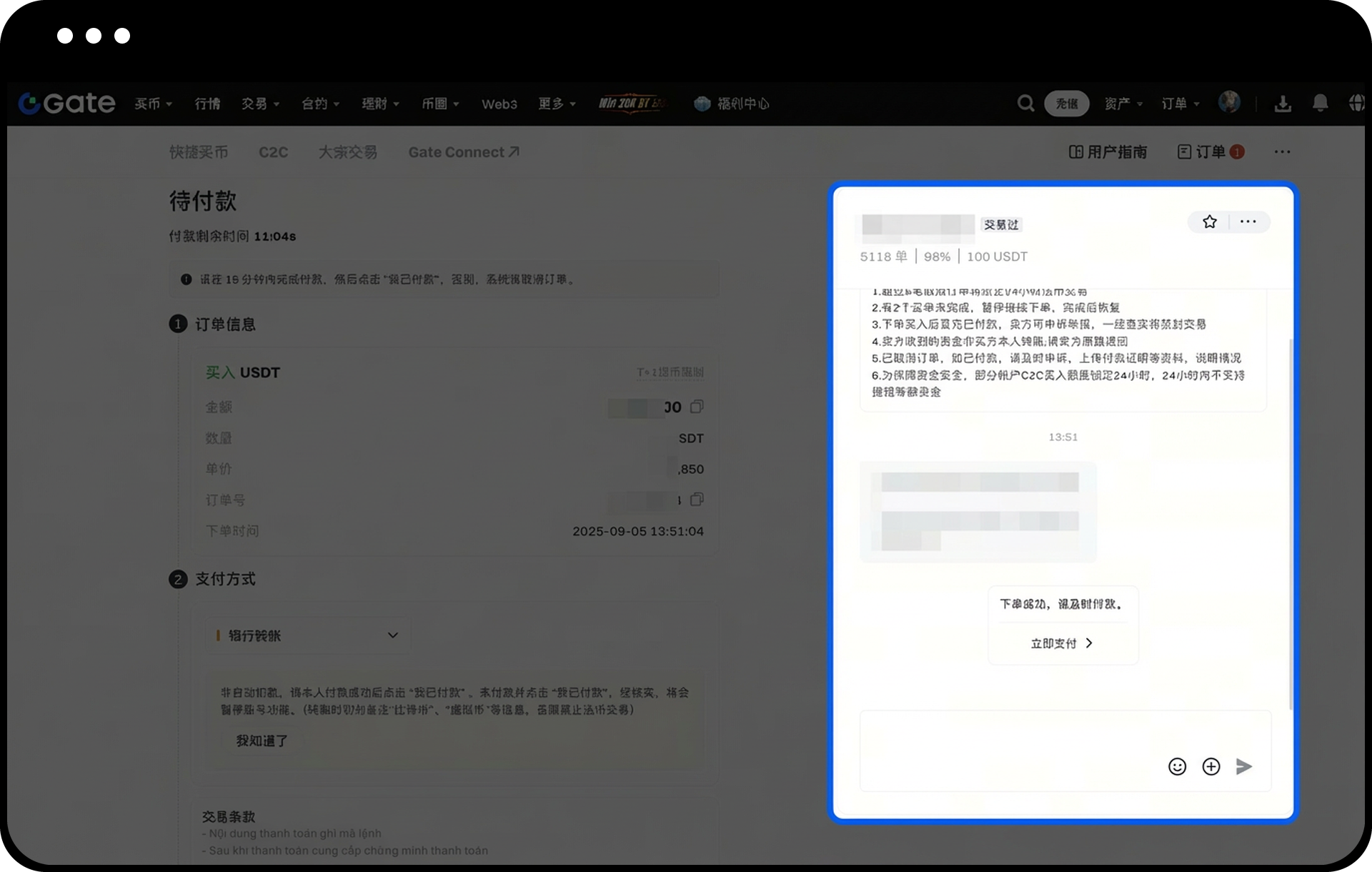
点击目标订单右侧的【订单】按钮,在展开的订单详情中点击【联系对方】,即可进入对话窗口与对方进行沟通。
App 端操作步骤
第一步:进入订单页面
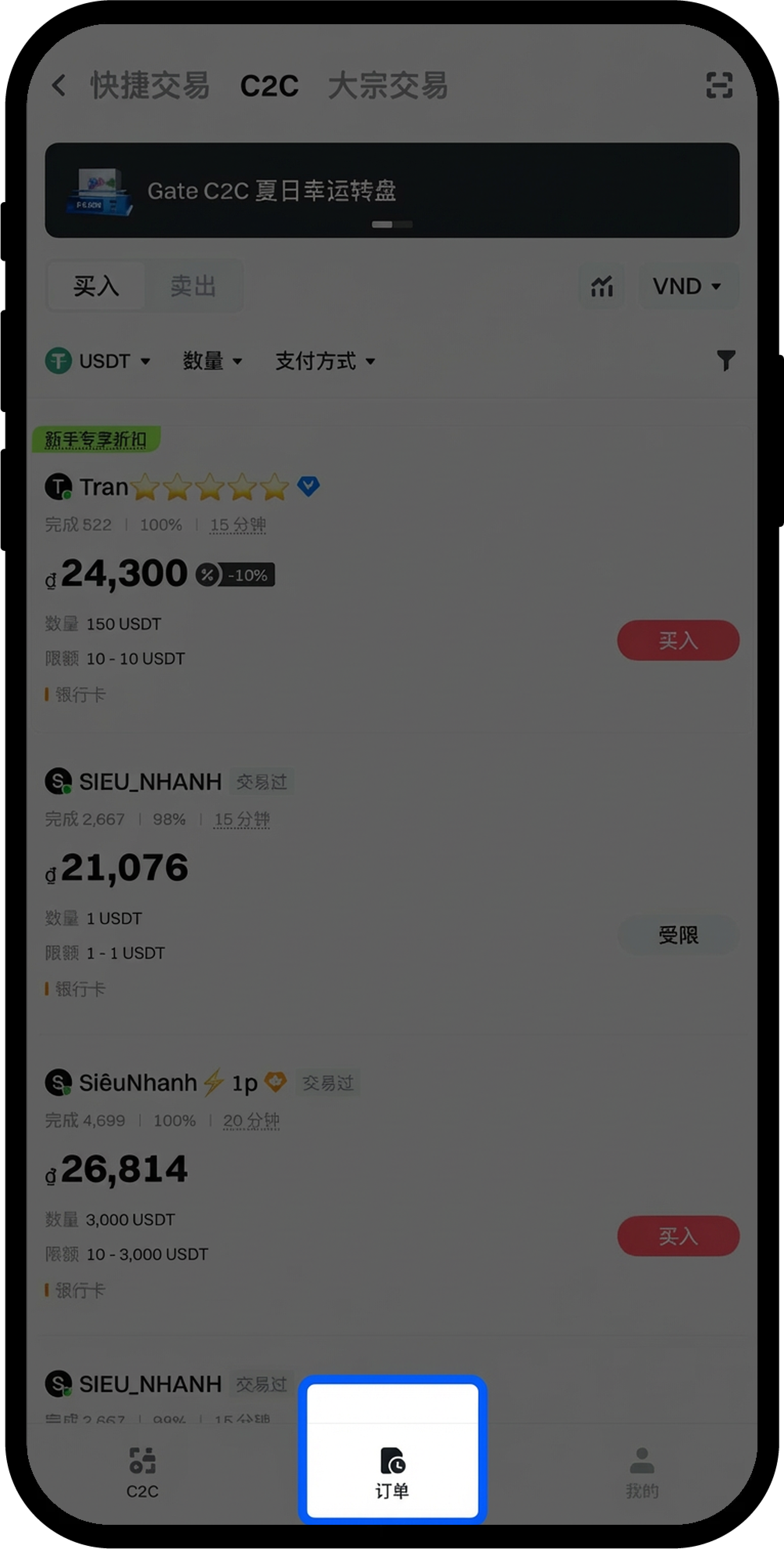
打开 Gate App,在法币交易页面点击底部的【订单】按钮。
第二步:找到目标订单
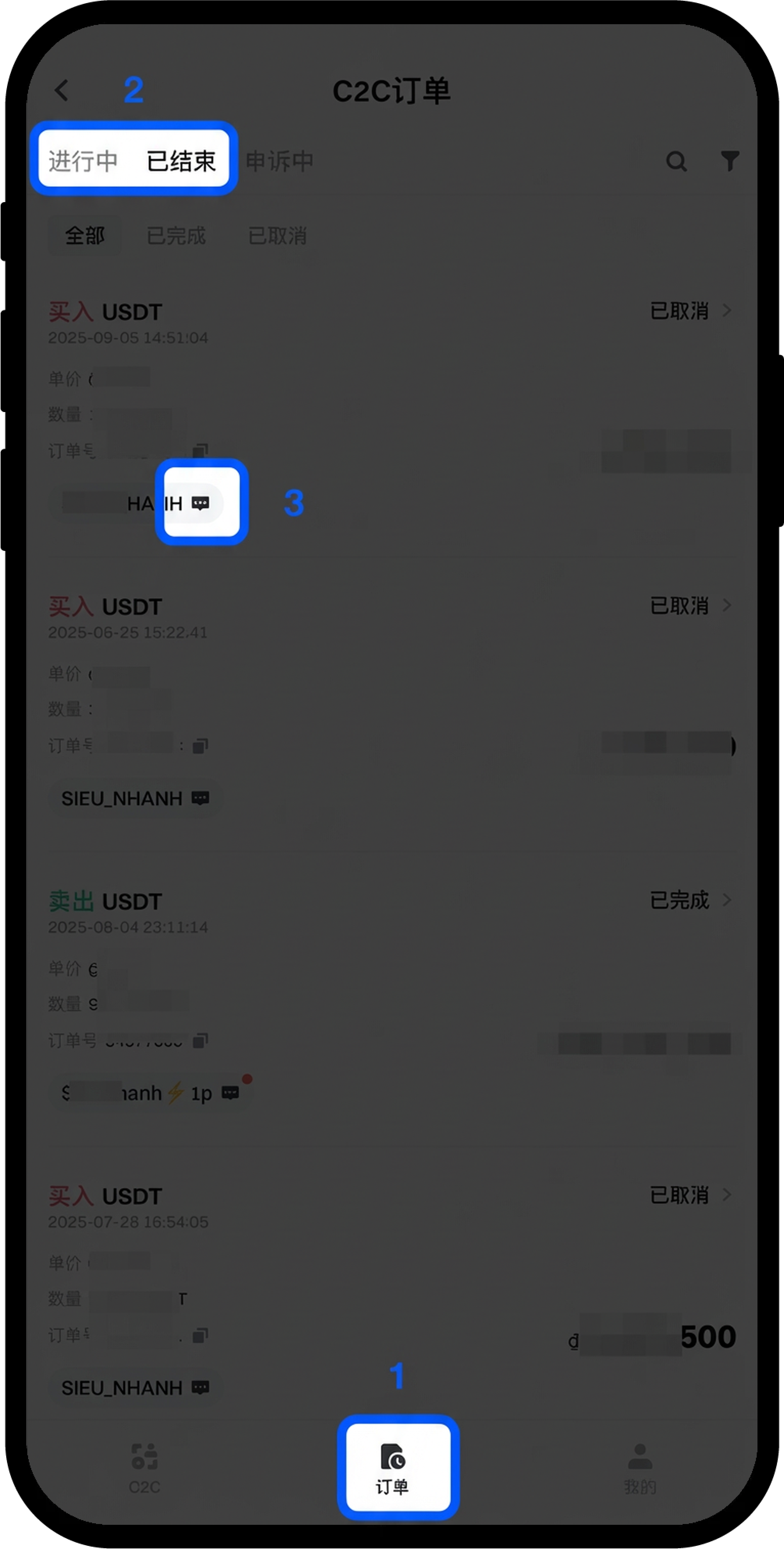
根据订单状态选择【进行中】或【已完成】标签页,找到需要联系对方的订单并点击进入订单详情页面。
第三步:联系交易对手方
在订单详情页面,点击右侧的【联系对方】图标,可选择通过对话窗口发送消息或直接致电对方。
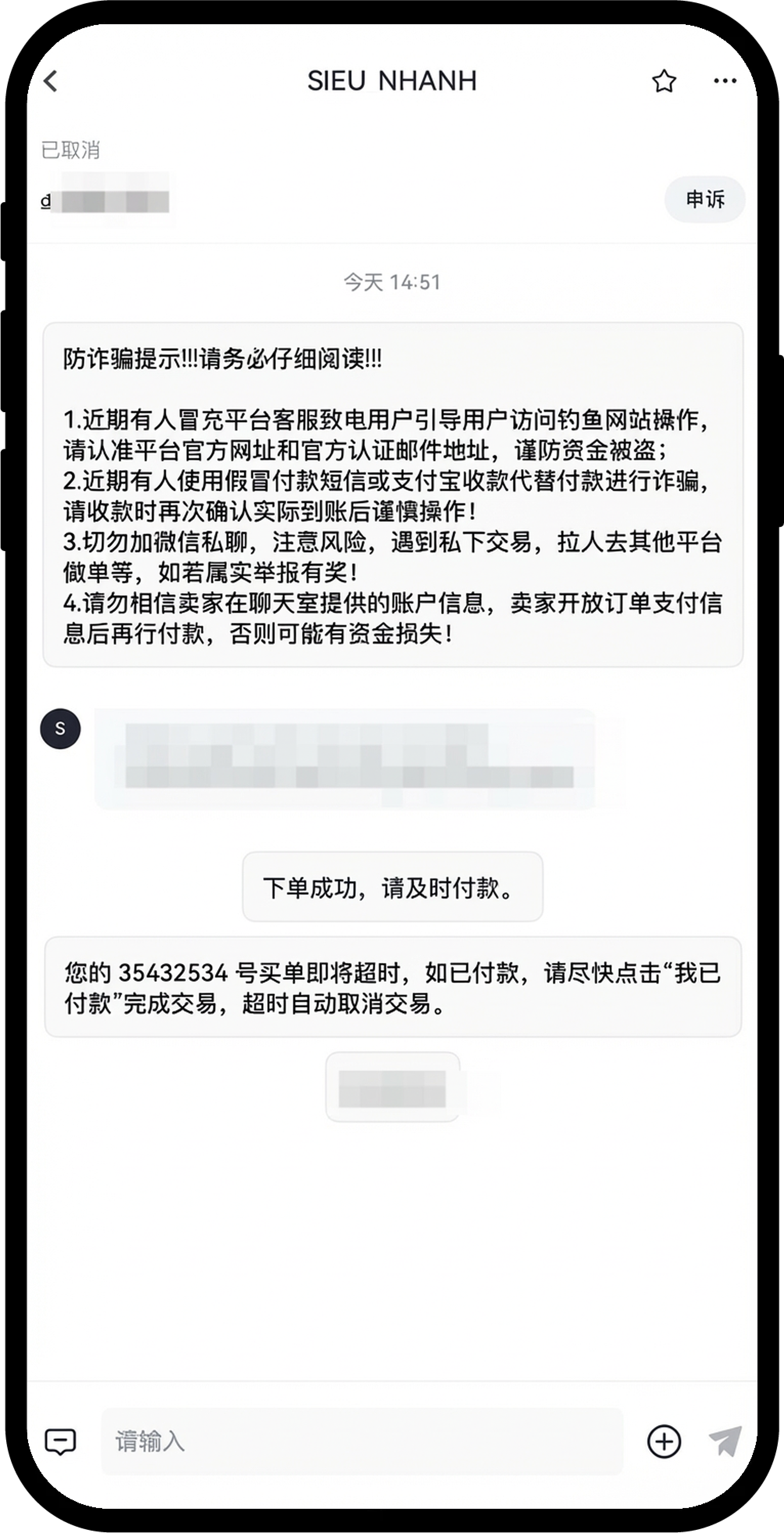
注意事项
- 与交易对手方沟通时,请保持礼貌和专业,避免使用不当言语。
- 请勿在聊天中透露敏感的个人信息,如密码、验证码等。
- 如遇到交易纠纷,请及时使用订单页面的【申诉】功能,由平台客服介入处理。
- 平台提供的联系功能仅用于订单相关沟通,请勿用于其他用途。
常见问题
Q1:为什么我无法联系对方?
A:请确认订单状态是否为"进行中"或"已完成"。只有这两种状态的订单才支持联系功能。如果订单已取消或超时,联系功能将不可用。
Q2:对方长时间不回复消息怎么办?
A:如果是进行中的订单,对方长时间未响应且影响订单正常进行,建议您点击订单详情页的【申诉】按钮,由平台客服介入协助处理。
Q3:可以在站外联系交易对手方吗?
A:为保障交易安全,建议您仅通过 Gate 平台提供的聊天功能进行沟通。平台聊天记录可作为申诉时的重要凭证,站外沟通无法得到平台保护。
免责声明
本文内容仅供参考与学习目的,不构成任何金融、投资、交易或法律建议,也不构成购买或出售任何数字资产的要约或邀请。Gate 对文中信息的准确性、完整性或时效性不作任何明示或暗示的保证。产品功能、界面、规则及费率等信息可能随时更新或调整,请以 Gate 平台的最新公告及实际页面展示为准。
数字资产投资涉及高风险,价格可能出现大幅波动,您可能损失全部投入资金。请在充分了解相关风险的基础上,根据自身财务状况和风险承受能力谨慎决策。如有需要,建议您咨询独立的专业财务或法律顾问。
有关更多风险信息,请参阅 Gate 《风险警示》及 《用户协议》。
